Kubernetes in Docker (kind)
kind is a tool for running local Kubernetes clusters using container “nodes”. Podman Desktop can help you run a local Kubernetes cluster using kind.
Create New Cluster
Select the Kubernetes tab.
If no Kubernetes cluster is configured, the Kubernetes tab offers the the option to create a new kind cluster.
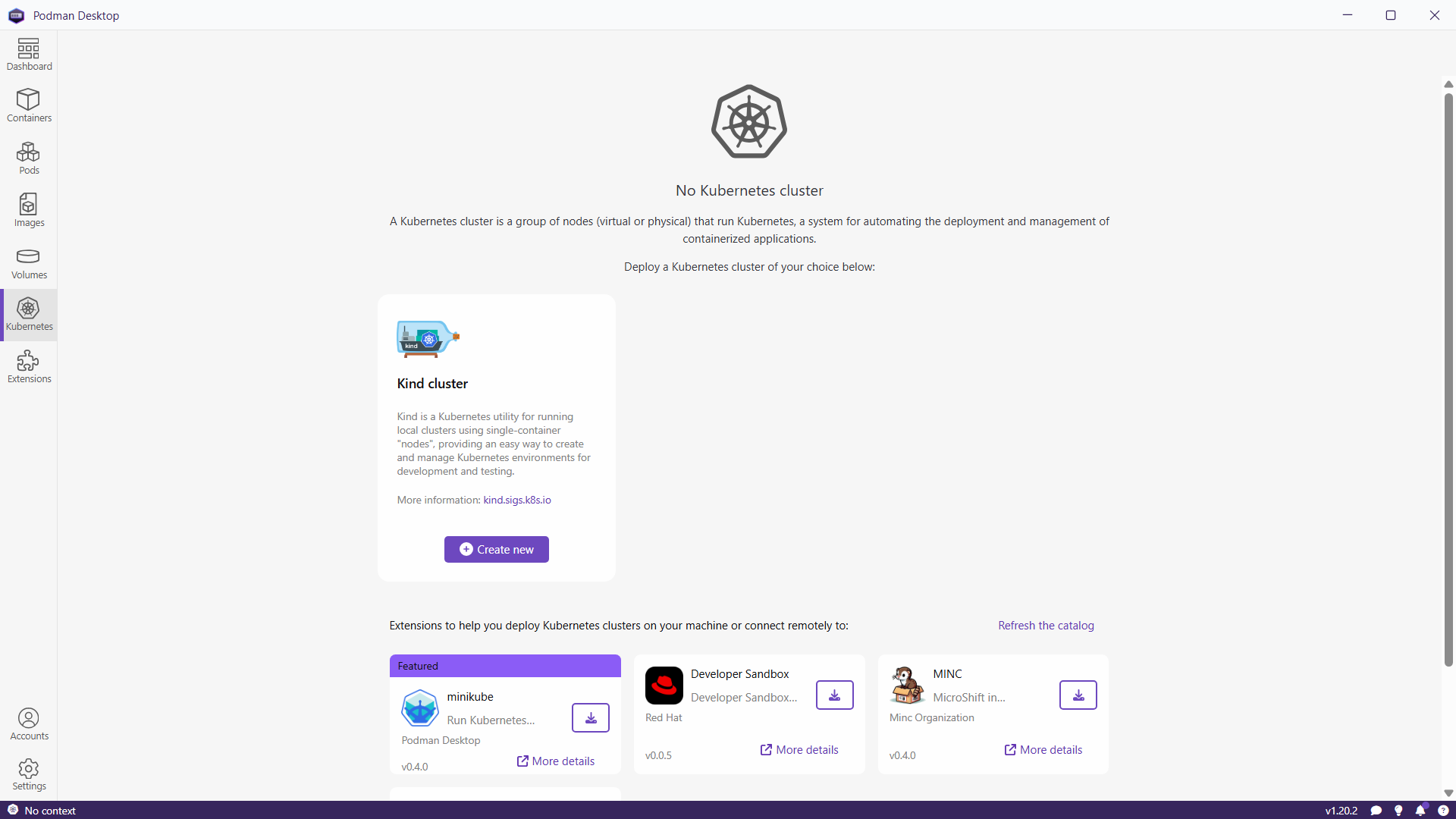
Click in “Create new”.
It is possible to customise a few values (for example, multi-node cluster) but the default values are OK.
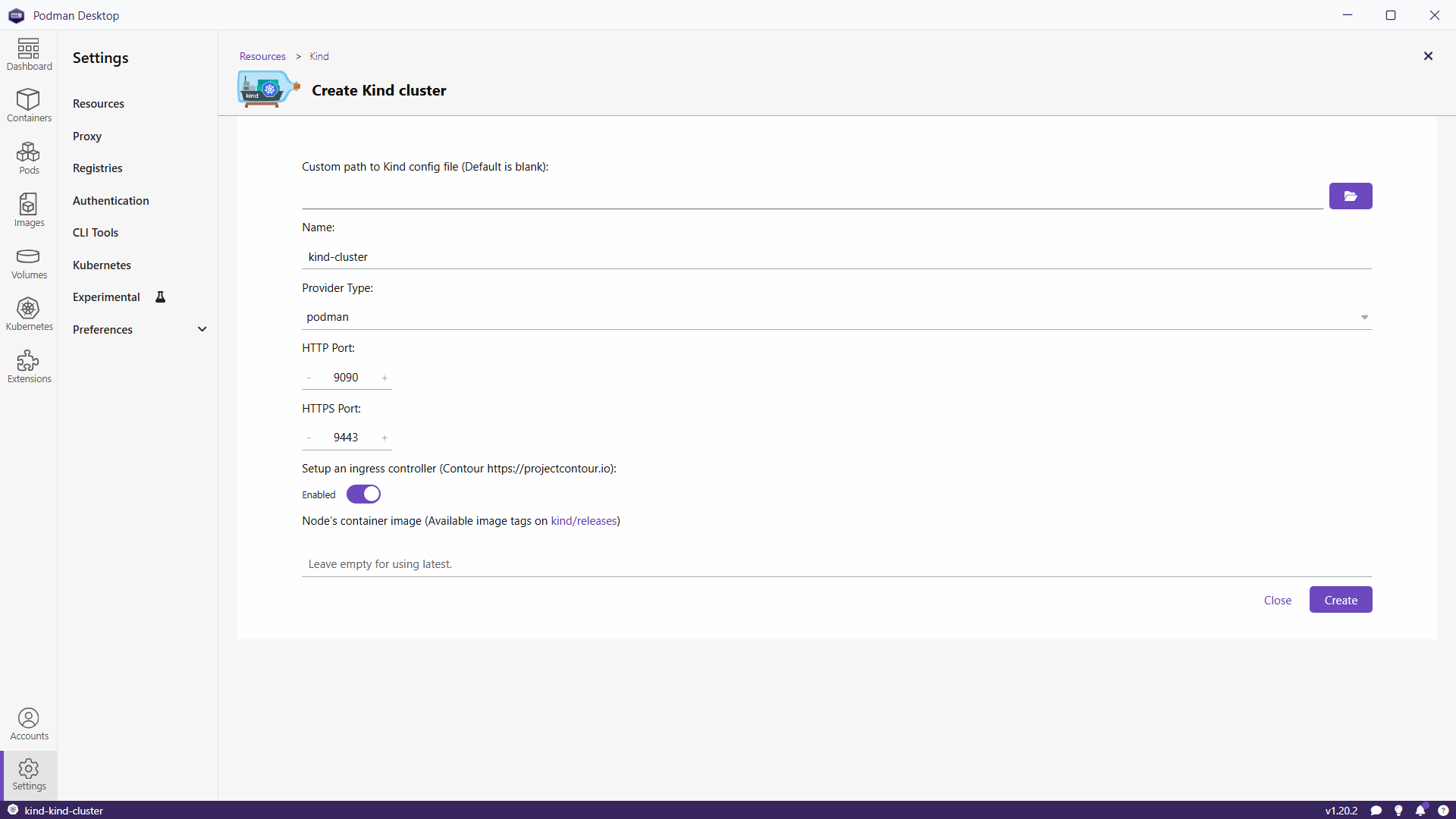
Click “Create”.
It might take a couple of minutes for Podman to download the containers. If all goes well, you will see the message “Successful operation”.
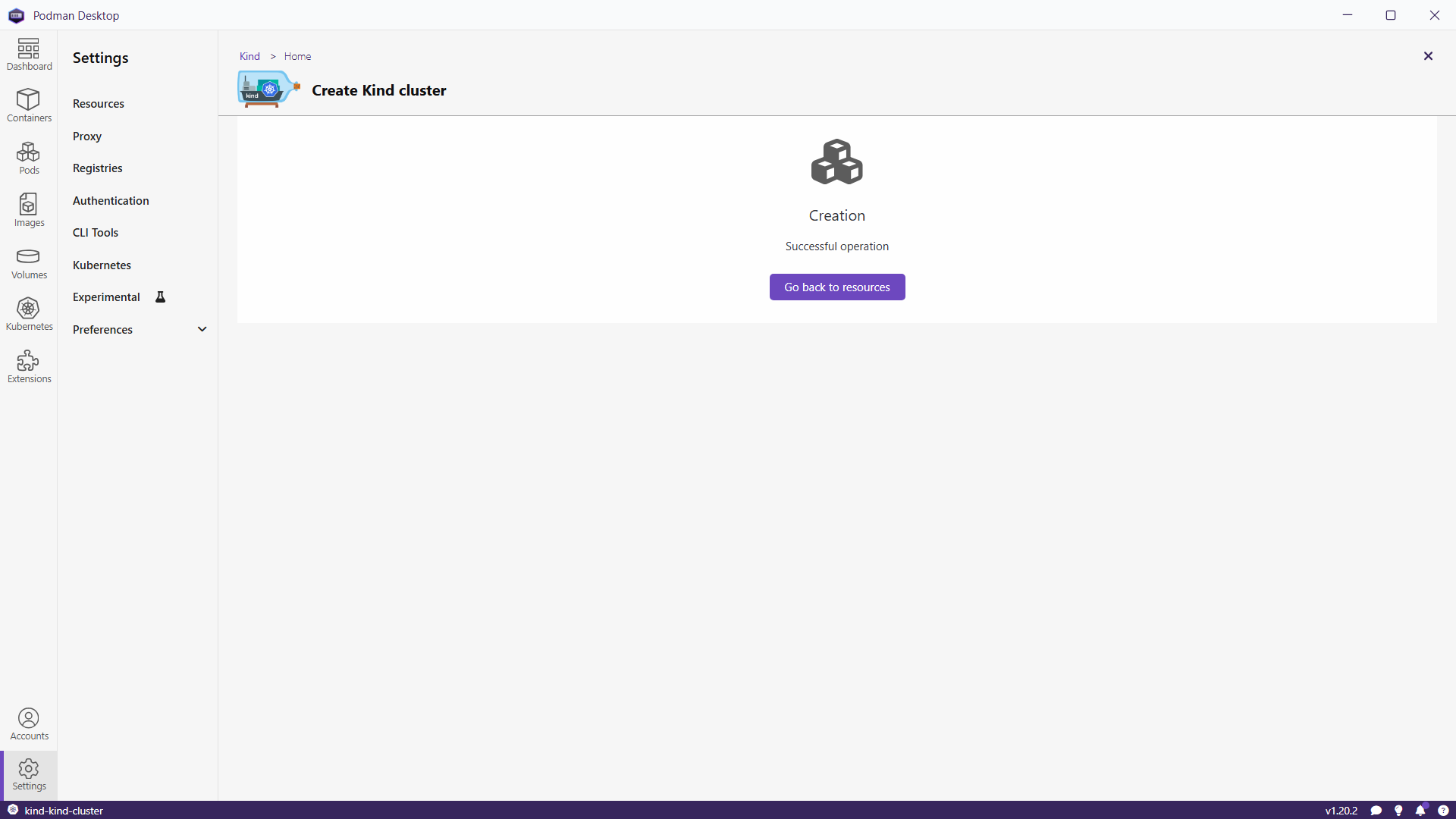
Click in “Go back to resources”.
Dashboard
After create your Kubernetes cluster, you can see a summary of it in the the dashboard subtab.
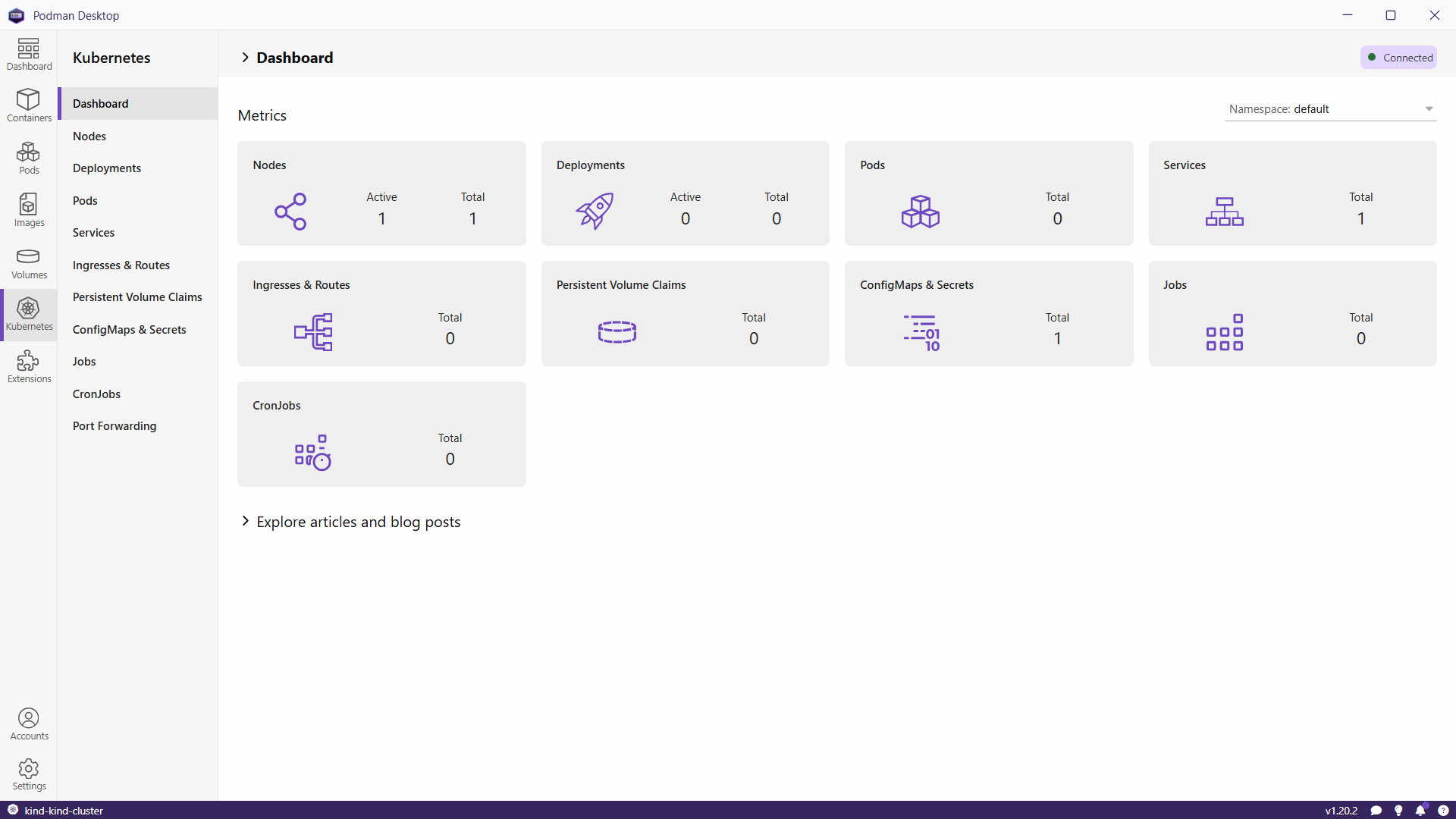
Change Kubernetes Context
If you have more than one Kubernetes cluster, you can change the context used by Podman clicking in the Kubernetes icon on the left bottom corner of the window.
Using kubectl
The access to the Kubernetes cluster is done using kubectl and the kubeconfig file. The kubeconfig file is located in ~/.kube/config.
Note
If you are using Windows, the kubeconfig file is located in %USERPROFILE%\.kube\config.
Note
If you are using WSL, you will have to copy the kubeconfig file from Windows.
Check the context.
kubectl config current-context
kind-kind-cluster
Check the connection to the Kubernetes cluster.
kubectl cluster-infoKubernetes control plane is running at https://127.0.0.1:56038 CoreDNS is running at https://127.0.0.1:56038/api/v1/namespaces/kube-system/services/kube-dns:dns/proxy To further debug and diagnose cluster problems, use 'kubectl cluster-info dump'.
Multi-node Cluster
You can use a configuration like
kind: Cluster
apiVersion: kind.x-k8s.io/v1alpha4
nodes:
  - role: control-plane
  - role: worker
  - role: worker